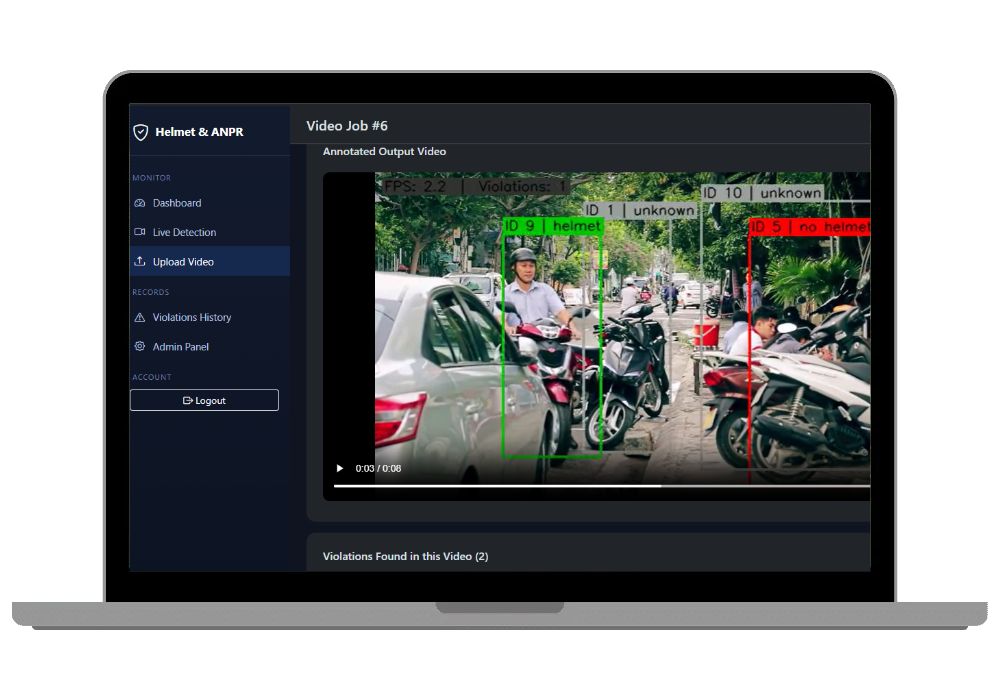
AI Helmet Violation and Number Plate Detection System with Django
Catch riders without helmets from a live camera or an uploaded traffic video, read their number plate, and generate an e-challan PDF. Python, Django and YOLOv8, and it runs on a regular laptop CPU.
Technology Used
Python | Django 5 | YOLOv8 (Ultralytics) | ByteTrack | fast-alpr | OpenCV | FFmpeg (imageio-ffmpeg) | SQLite | Bootstrap 5 | Chart.js | ReportLab | OpenPyXL


Project Files
Abstract
Two-wheeler crashes get a lot worse when the rider isn't wearing a helmet. And no traffic department has enough people to watch every junction or sit through hours of recorded footage. This project automates that first check. It watches a live camera feed or an uploaded traffic video, finds motorcycle riders without a helmet, reads the bike's number plate, and logs the violation with snapshot evidence in a web dashboard. From there it can be reviewed, corrected, and turned into an e-challan.
Every model here is pre-trained. YOLOv8 (official COCO weights) handles motorcycle and person detection, ByteTrack keeps track of each bike across frames, a downloaded YOLOv8 helmet model decides helmet or no helmet, and fast-alpr finds and reads the plate. No labelling and no training. The whole pipeline runs on a normal laptop CPU.
What This Project Actually Does
You point it at a video source. That can be your laptop webcam, your phone running the "IP Webcam" app, or an mp4 you recorded at a signal. The system finds every motorcycle in the frame and gives each one an ID that stays the same while the bike is in view. It crops the rider area above the bike and asks the helmet model one question: helmet or not?
If the answer is no, the box turns red. The system then looks for the plate on that same bike, not on whatever vehicle happens to be nearby, reads it with OCR, cleans up the text, and saves one violation with a rider snapshot and a plate snapshot. One bike gives one violation, even if it sits at a red light for 400 frames.
All of this shows up in a Django dashboard where you can search, fix wrong plate readings, export to Excel, and download a challan PDF for each violation.
Key Features
Detection and Tracking
- Two input modes, one pipeline: a live webcam or IP camera, or an uploaded video in mp4, avi, mov, or mkv format. Both go through the exact same detection code in the
detector/package. - YOLOv8n with ByteTrack (
model.track(persist=True)) gives each bike a stable track ID, which prevents duplicate reports. - Riders get green boxes for a helmet and red boxes for no helmet, drawn live on the stream.
- The plate is matched to the flagged bike, not to whatever plate is in the frame.
Plate Reading (ANPR)
fast-alprfinds and reads the plate with itsyolo-v9-t-384-license-plate-end2enddetector.- The OCR text is checked against the Indian plate format, and common mix-ups get fixed automatically: O and 0, I and 1, B and 8, S and 5. The logic lives in
ocr_utils.py. - Multi-frame voting in
tracker_state.pycollects several readings per bike and keeps the one that appears most often, so one blurry frame doesn't decide the result.
Dashboard and Records
- The live MJPEG stream plays in the browser with Start and Stop buttons, next to a side panel of the latest violations that refreshes itself.
- Uploaded videos process in a background thread. A progress bar shows the percentage, frames done, and violations found so far, and you get an annotated output video at the end that plays in the browser (H.264 through FFmpeg).
- Stat cards, a 7-day violation trend chart, and a live-versus-upload breakdown, all in Chart.js.
- The violation history page has filters for plate number, source, and date range, plus pagination and manual plate correction or verification.
- One-click Excel export (OpenPyXL) of whatever you've filtered.
- A per-violation E-Challan PDF (ReportLab) with challan number, plate, fine amount, both snapshots, and a description.
Built to Survive a Demo
- A missing helmet model, a camera that won't connect, or a bad video format shows a friendly message in the UI. No crash in front of your examiner.
- Every threshold, the frame skip rate, the resize width, and even the fine amount sit in one
DETECTION_CONFIGdictionary inconfig/settings.py.
How the Pipeline Works
yolov8n.track()finds motorcycles and persons, each with a track ID.- The bike's box is expanded upward to crop the rider.
helmet_best.ptclassifies that crop as helmet or no helmet.fast-alprdetects and reads the plate inside the same bike region.- The OCR text is cleaned and voted on across frames.
- Duplicates are removed per track ID, so each bike is logged once.
- Annotations are drawn and the violation is handed to Django for storage.
Here's the part examiners like: the detector/ package has no Django dependency at its core. You can run it alone with scripts/test_pipeline.py on any video file. That makes it much easier to explain the separation between the ML layer and the web layer in your viva.
Honest Talk: What's Hard and What's Easy
The tricky bit is the helmet model. This project doesn't train one, so you download a ready-made YOLOv8 helmet .pt file from Roboflow Universe or Hugging Face and check its class order (is 0 helmet, or is 0 no_helmet?). Get that backwards and every helmeted rider becomes a violator. It's a two-line fix in HELMET_CLASS_NAMES, but you have to actually check it. Plate reading on far-away or tilted bikes will also miss sometimes, which is normal for ANPR, and the README lists it as a known limitation.
But the easy part is easier than you'd expect. No GPU, no dataset, no training. YOLOv8n auto-downloads (around 6 MB), fast-alpr grabs its own weights, and after that first run the whole thing works offline. If your laptop is slow, raise FRAME_SKIP and you're fine.
Real-World Applications
- Traffic police and RTO demos, as an automated first pass on junction cameras that produces plate evidence for a human to issue the challan.
- College campuses and gated societies. Put a phone camera at the gate and flag riders entering without a helmet.
- Smart city surveillance, as one module next to red-light jumping or wrong-way detection.
- Driving schools and delivery fleets reviewing recorded footage of their riders for helmet compliance.
- Road safety campaigns that need actual numbers, such as violations per day or per camera source.
Who Should Buy This
If you're a student who needs a working project for your college submission, final-year project, semester project, internship, or academic demonstration, this is for you. Whether you're studying BCA, B.Tech, MCA, M.Tech, Computer Science, IT, AI, Data Science, or another related field, you can choose a project that fits your requirements. If you need the source code, project report, documentation, or help setting up and running the project, CodeAj gives you the resources and support to get started faster.
It's an especially good pick if your guide wants "something with real AI in it" and you have about three weeks left. Detection, tracking, classification, and OCR in one project. That's a lot of viva material.
What You Get
- Full Django project source: the
accounts,detection, anddetectorpackages, templates, static files, and migrations. scripts/test_pipeline.pyfor testing the pipeline from the command line.docs/PROJECT_REPORT_NOTES.mdwith the abstract, objectives, architecture, a testing table template, limitations, and future scope.docs/VIVA_QA.mdwith 20 likely viva questions and short answers.- A
create_demo_admincommand so login works right away.
Why CodeAj
We don't just send a zip and disappear. You get the complete source, a project report you can adapt for your college format, and setup support if something won't run on your machine. That includes the helmet model step, which is where most people get stuck. If you're browsing other options, our computer vision projects and Django projects with source code collections are worth a look, and there's a full list of AI and ML final year projects if you want to compare before deciding.
Frequently Asked Questions
Extra Add-Ons Available – Elevate Your Project
Add any of these professional upgrades to save time and impress your evaluators.
Project Setup
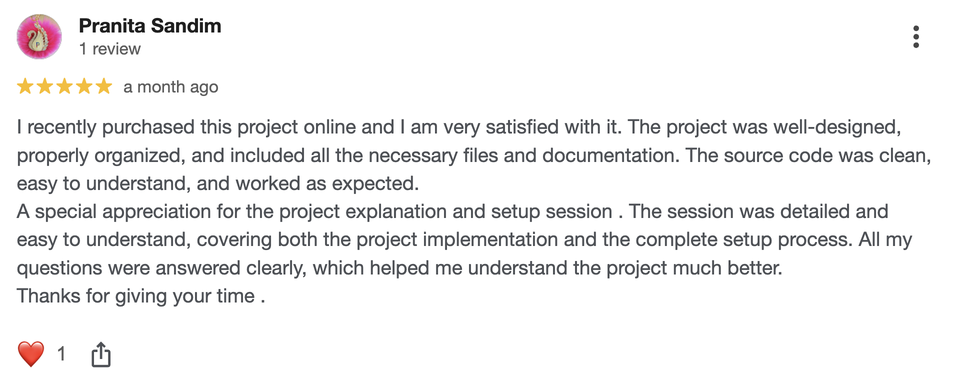
We'll install and configure the project on your PC via remote session (Google Meet, Zoom, or AnyDesk).
Source Code Explanation
1-hour live session to explain logic, flow, database design, and key features.
Want to know exactly how the setup works? Review our detailed step-by-step process before scheduling your session.
₹1299
Custom Documents (College-Tailored)
- Custom Project Report: ₹1,500
- Custom Research Paper: ₹1,000
- Custom PPT: ₹800
Fully customized to match your college format, guidelines, and submission standards.
Project Modification
Need feature changes, UI updates, or new features added?
Charges vary based on complexity.
We'll review your request and provide a clear quote before starting work.