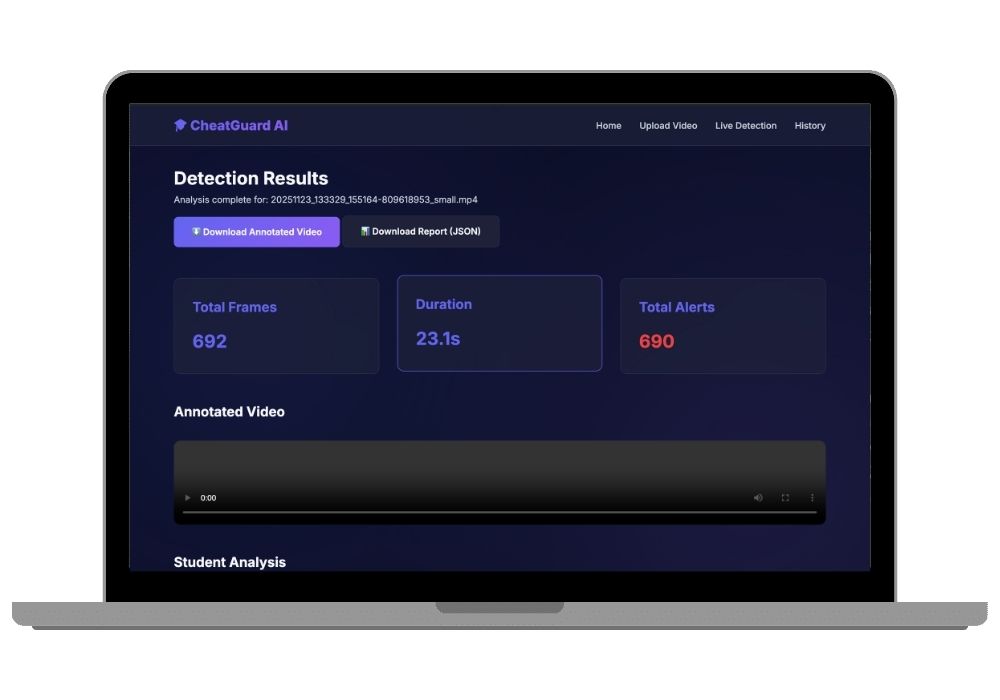
AI-Powered Classroom Cheating Detection System with Real-Time Monitoring and Behavioral Analysis
Advanced computer vision system for detecting cheating behaviors in classroom exams using YOLOv8, head pose tracking, object detection, and real-time behavioral scoring with web-based dashboard.
Technology Used
Python | Flask | OpenCV | PyTorch | YOLOv8 | MediaPipe | Deep SORT | NumPy | Computer Vision | Machine Learning | HTML5 | CSS3 | JavaScript


Project Files
Advanced AI-Powered Classroom Cheating Detection System
An intelligent examination monitoring solution that leverages cutting-edge computer vision, deep learning, and behavioral analytics to detect potential cheating behaviors in classroom environments. This system combines YOLOv8 object detection, head pose estimation, movement tracking, and student interaction analysis to provide comprehensive real-time surveillance during examinations.
Core Detection Capabilities
Head Pose Detection and Analysis
The system employs advanced facial landmark detection to monitor student head orientation continuously. It identifies suspicious behaviors such as sideways looking that may suggest copying from neighboring students, or downward gazing that could suggest unauthorized reference to notes or mobile devices. Dynamic threshold adjustments adapt to different classroom configurations while sustained behavior tracking eliminates false positives from momentary movements.
Intelligent Object Detection
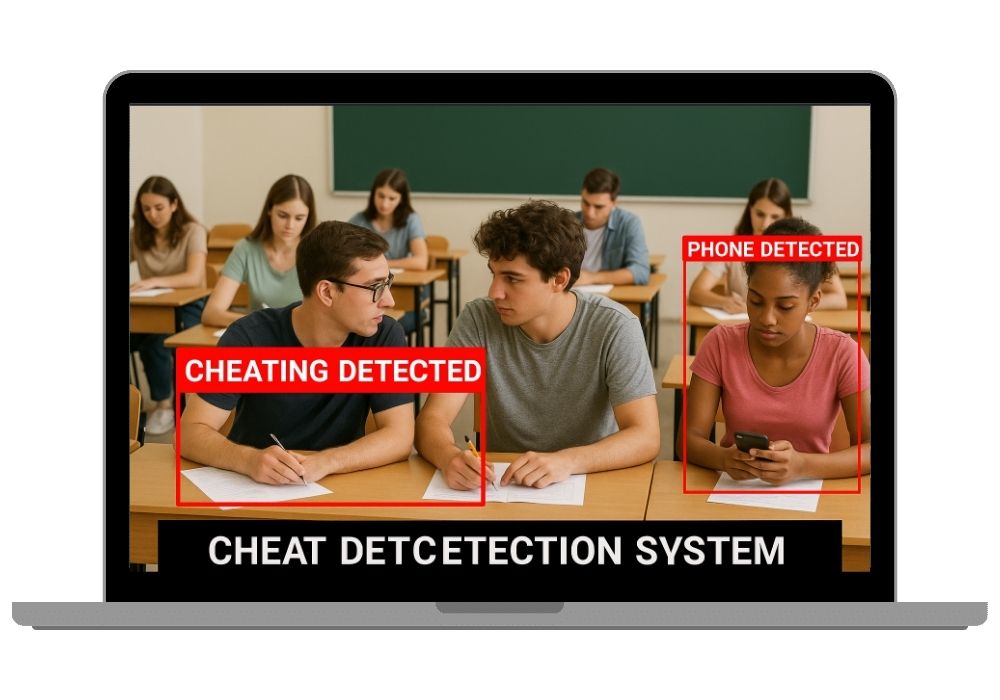
Powered by YOLOv8 neural network architecture, the system detects prohibited items including smartphones, textbooks, papers, and other unauthorized materials with high accuracy. The detection module uses confidence thresholds specifically tuned for classroom environments to minimize false alerts while maintaining robust detection of actual cheating aids. Real-time alerts notify proctors when objects are detected for extended periods.
Movement and Zone Tracking
DeepSORT tracking algorithm maintains persistent student identities throughout the exam session, enabling zone-based monitoring that detects when students leave designated seating areas. Velocity and acceleration analysis identifies excessive or unusual movement patterns. The system calculates distance between students to flag potential interactions or collaborative cheating attempts.
Comprehensive Behavioral Scoring
Each student receives a continuously updated risk score ranging from 0.0 to 1.0 based on multiple behavioral indicators. The scoring algorithm weighs sideways/downward looking frequency, phone detection instances, movement patterns, and proximity to other students. Color-coded severity levels categorize behaviors as Normal, Low, Medium, or High risk, enabling proctors to prioritize their attention efficiently.
Dual Operation Modes
Live Camera Detection Mode
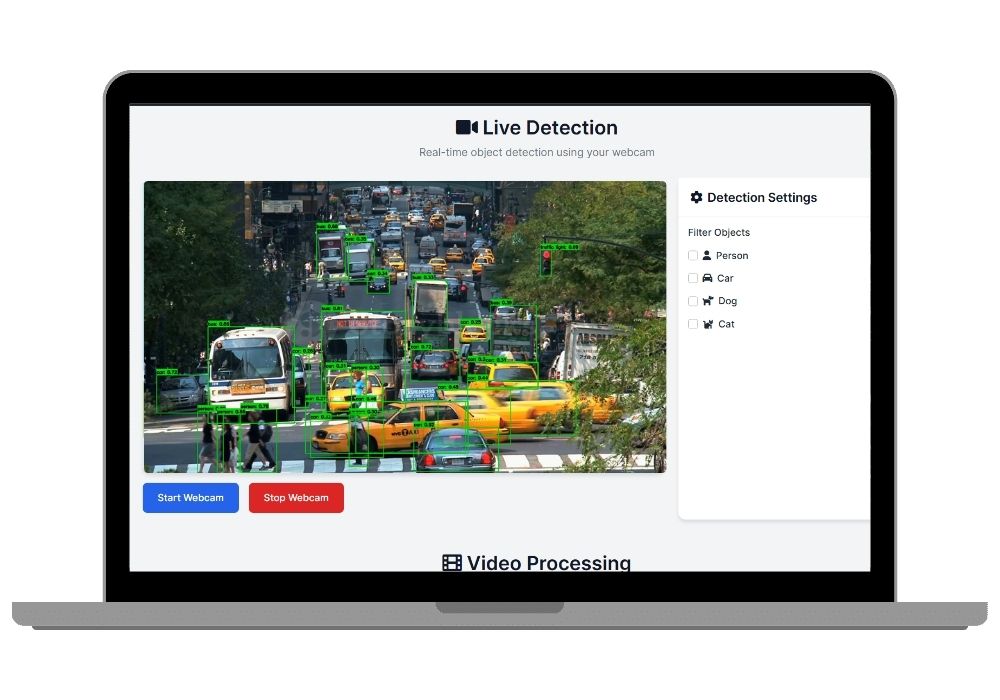
Real-time monitoring processes webcam feeds at 20-30 FPS on standard hardware, with GPU acceleration enabling 60+ FPS performance. The live dashboard displays annotated video streams with bounding boxes, risk scores, and instant alerts. Proctors can initiate or stop monitoring sessions with a single click while viewing behavioral statistics for all detected students simultaneously.
Video Upload & Processing Mode
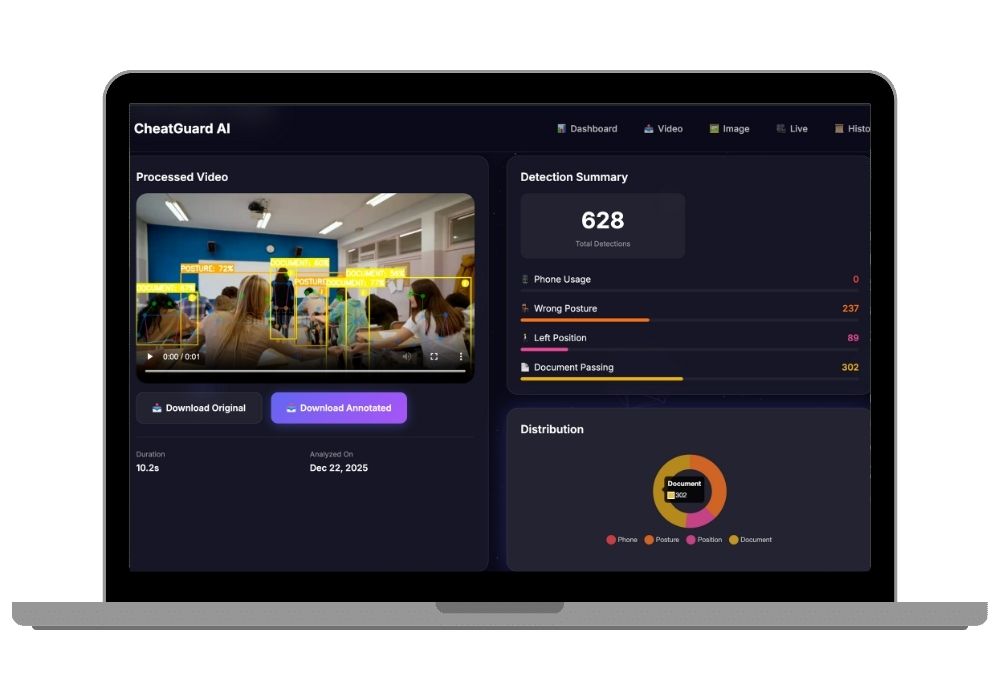
Upload pre-recorded examination videos up to 500MB in MP4, AVI, MOV, or MKV formats through an intuitive drag-and-drop interface. Background processing analyzes the entire video, generating annotated output with visual markers for all detected incidents. Detailed JSON reports provide frame-accurate timelines of suspicious behaviors, student-wise summaries, and severity classifications. The interactive timeline allows clicking on incidents to jump directly to relevant video segments.
Professional Web Interface Features
- Modern responsive design optimized for desktop and tablet viewing
- Progress tracking with real-time status updates during video processing
- Processing history dashboard showing all previous analyses
- Downloadable annotated videos with color-coded detection overlays
- Comprehensive JSON reports containing frame numbers, timestamps, and incident details
- Student-wise behavioral breakdowns with aggregated risk scores
- Visual timeline showing incident distribution throughout exam duration
Technical Architecture
Built on a robust Flask web framework with Python backend, the system integrates multiple specialized detection modules. The head pose detector uses facial landmark estimation to calculate yaw and pitch angles. YOLOv8 handles object detection with custom weights optimized for classroom items. DeepSORT provides multi-object tracking persistence across frames. The behavior analyzer aggregates signals from all detectors into unified risk assessments stored in structured JSON format, similar to our CheatGuard AI system.
Practical Applications
Educational Institutions
Universities and colleges can deploy the system in examination halls to supplement human proctoring, ensuring fairness across large student populations. The system processes multiple camera feeds simultaneously, enabling monitoring of hundreds of students with minimal staff.
Online & Hybrid Learning
Remote proctoring for online exams uses student webcams to maintain academic integrity without physical supervision. Recorded sessions can be analyzed post-exam for verification purposes.
Certification Testing Centers
Professional certification bodies can use automated monitoring to standardize proctoring quality across multiple testing locations while reducing operational costs.
Research & Academic Integrity Studies
Education researchers can analyze behavioral patterns, test detection algorithm effectiveness, and study the relationship between monitoring presence and cheating rates.
Configurable Detection Parameters
The config.py file allows administrators to customize detection sensitivity based on specific requirements. Adjust head pose angle thresholds, alert frame counts, movement distances, and zone boundaries. Fine-tune confidence levels for object detection to balance between detection accuracy and false positive rates. Configuration changes apply immediately without requiring system modification.
Privacy & Ethical Considerations
The system is designed for legitimate educational monitoring with proper student notification. All processed videos and detection data are stored securely with access controls. Institutions deploying the system should review local privacy regulations and establish clear policies about surveillance scope, data retention, and student rights. The technology serves to augment rather than replace human judgment in academic integrity decisions.
Performance Specifications
- Live detection: 20-30 FPS CPU processing, 60+ FPS with CUDA GPU acceleration
- Video processing: 10-minute 1080p video processes in 5-10 minutes on CPU, 2-3 minutes with GPU
- Supports multiple concurrent video processing jobs
- Minimum recommended resolution: 720p at 30 FPS
- Handles classroom sizes from small groups to lecture halls with appropriate camera placement
Installation and Deployment
Python 3.8 or higher required with straightforward pip-based dependency installation. YOLOv8 model weights download automatically on first run. Flask development server included for immediate testing with production deployment options via Gunicorn, uWSGI, or containerization with Docker. The system runs on standard hardware with optional GPU acceleration for enhanced performance. Need help getting started? Check our project setup guide.
Output and Reporting
Processed videos include visual annotations showing bounding boxes around detected faces and objects, color-coded status indicators reflecting current risk levels, real-time behavioral scores overlaid on video, and interaction lines connecting students detected in proximity. JSON reports contain comprehensive metadata including total frames processed, video duration and processing time, chronological alert timeline with frame numbers and timestamps, student-wise summaries with aggregated scores and incident counts, and severity classification statistics for institutional analysis. Explore similar AI/ML projects for more advanced detection systems.
Frequently Asked Questions
Extra Add-Ons Available – Elevate Your Project
Add any of these professional upgrades to save time and impress your evaluators.
Project Setup
We'll install and configure the project on your PC via remote session (Google Meet, Zoom, or AnyDesk).
Source Code Explanation
1-hour live session to explain logic, flow, database design, and key features.
Want to know exactly how the setup works? Review our detailed step-by-step process before scheduling your session.
₹1999
Custom Documents (College-Tailored)
- Custom Project Report: ₹1,500
- Custom Research Paper: ₹1,000
- Custom PPT: ₹800
Fully customized to match your college format, guidelines, and submission standards.
Project Modification
Need feature changes, UI updates, or new features added?
Charges vary based on complexity.
We'll review your request and provide a clear quote before starting work.