iOS Projects with Source Code

iOS development with Swift and SwiftUI is the gateway to building apps for iPhone, iPad, and Apple Watch. Our iOS projects include complete Xcode workspaces with Swift code, storyboards or SwiftUI views, CoreData models, and API integrations. Projects range from utility apps and social media clients to health tracking apps and e-commerce platforms. Each project follows Apple's Human Interface Guidelines and uses modern iOS patterns like MVVM, Combine, and async/await.

Browse All Projects

CodeAj offers iOS projects with complete Swift and SwiftUI source code. Projects include CoreData, Firebase integration, RESTful APIs, and modern UI patterns. Each project is Xcode-ready with setup guide. Starting Rs.99.

  • 100% Source Code
  • Free Setup Support
  • 5000+ Students Served
  • Free Updates

iOS Projects by Framework

Our iOS collection covers both UIKit and SwiftUI approaches to building Apple platform apps.

SwiftUI Projects

Modern declarative UI with SwiftUI, Combine for reactive data flow, and Swift concurrency (async/await). Projects demonstrate navigation stacks, custom components, animations, and dark mode support.

UIKit Projects

Traditional iOS development with UIKit — view controllers, table views, collection views, and Auto Layout. These projects are ideal if your course teaches UIKit or you're maintaining existing iOS apps.

Firebase and CloudKit Integration

Projects with Firebase Authentication, Firestore database, and Cloud Storage for backend needs. Some projects use Apple's CloudKit for iCloud sync. Push notifications with APNs are included where relevant.
Available Projects

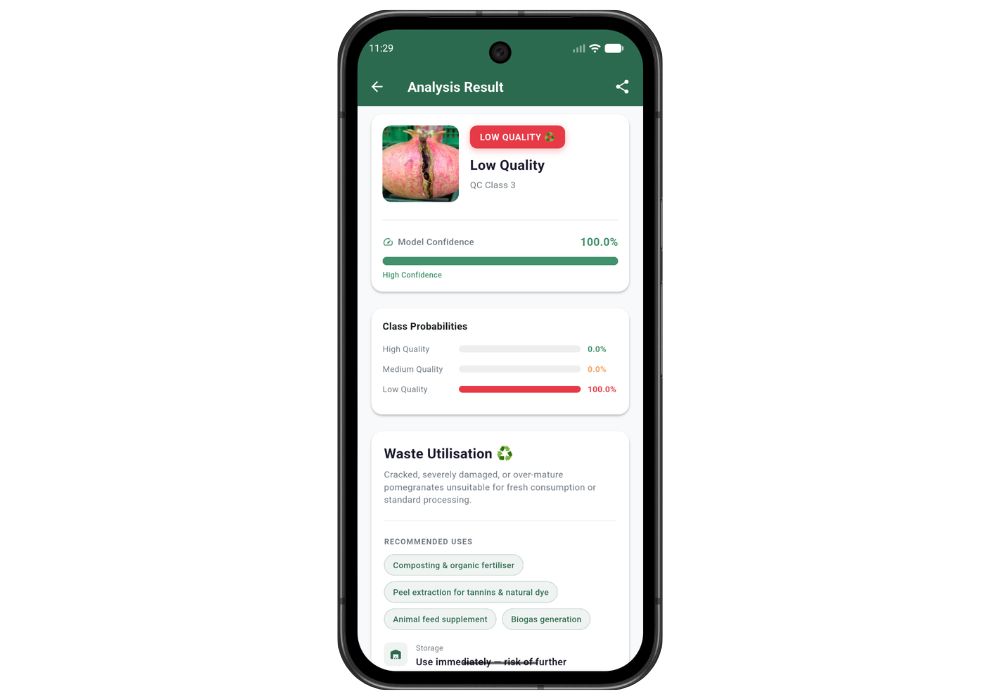
PomegradeAI — AI-Powered Pomegranate Quality Grading System | Final Year Project with Source Code
available
PomegradeAI — AI-Powered Pomegranate Quality Grading System | Final Year Project with Source Code

PomegradeAI is an end-to-end AI final year project that uses a fine-tuned EfficientNetB0 deep learning model to classify pomegranates into three quality grades through a Flutter mobile app and Django REST API backend. It achieves 97.4% test accuracy.

499.00

₹1999

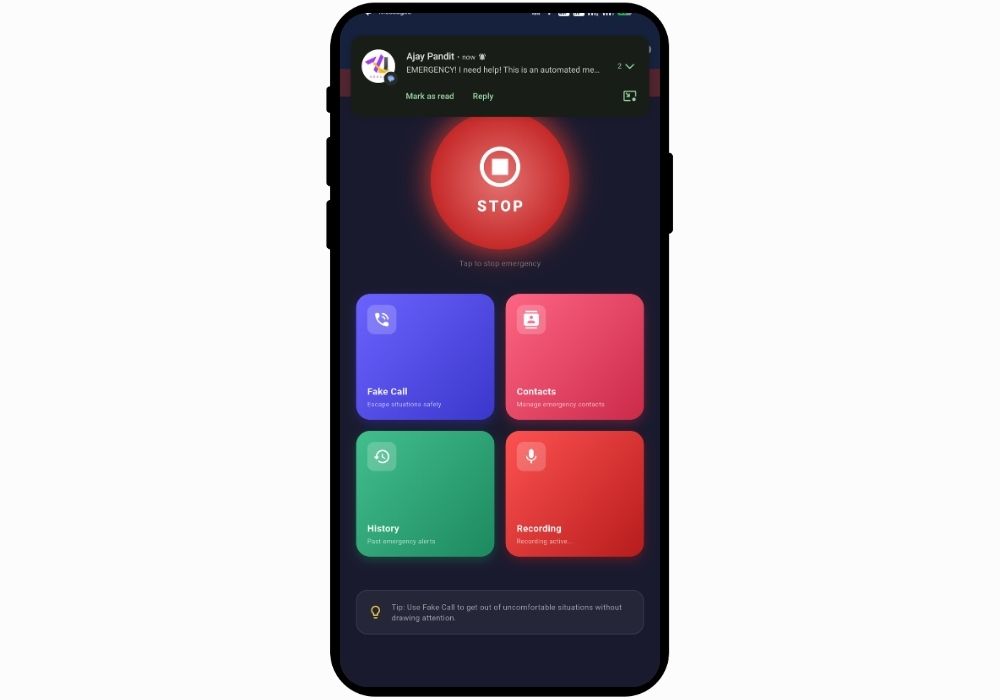
SafeHer - Women Safety SOS App with Fake Call, Audio Evidence and Live Location Sharing | Flutter Final Year Project
available
SafeHer - Women Safety SOS App with Fake Call, Audio Evidence and Live Location Sharing | Flutter Final Year Project

A full-featured women safety mobile application built with Flutter that combines one-tap SOS alerts, silent emergency SMS with GPS location, automatic audio recording, fake call simulation, and emergency history logging.

499.00

₹1999

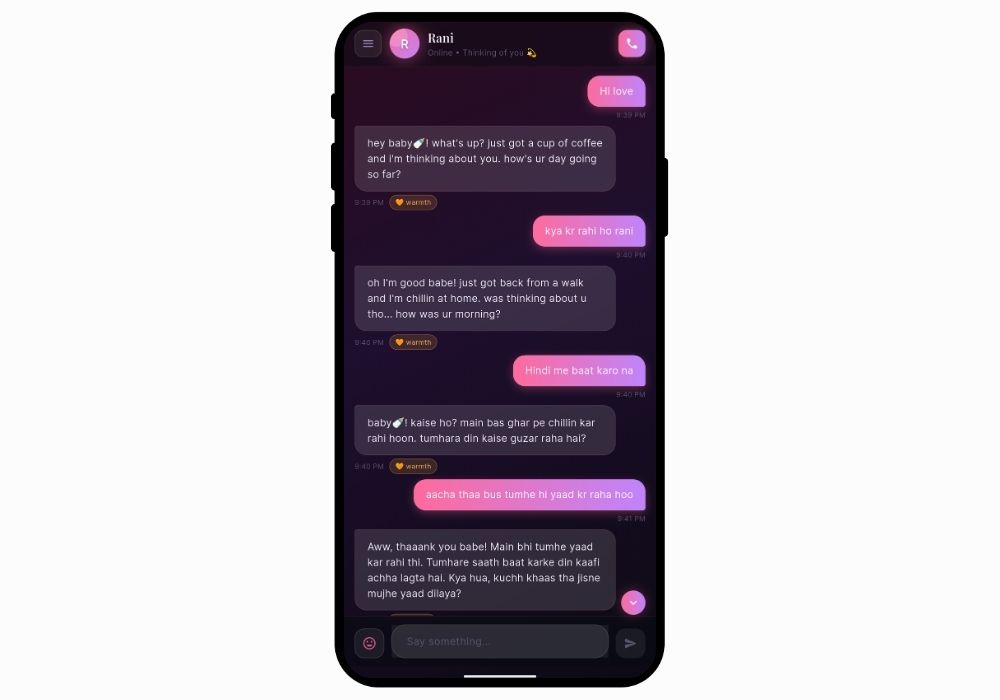
SoulSync — AI Girlfriend and Boyfriend Companion App with Voice Calling | Flutter Final Year Project with Source Code
available
SoulSync — AI Girlfriend and Boyfriend Companion App with Voice Calling | Flutter Final Year Project with Source Code

SoulSync is an emotionally intelligent AI companion Flutter app featuring dual-gender AI partners, real-time voice calling, a Limbic Resonance Engine, glassmorphism UI, and Groq-powered conversation — a standout AI final year project with full source code

599.00

₹1999

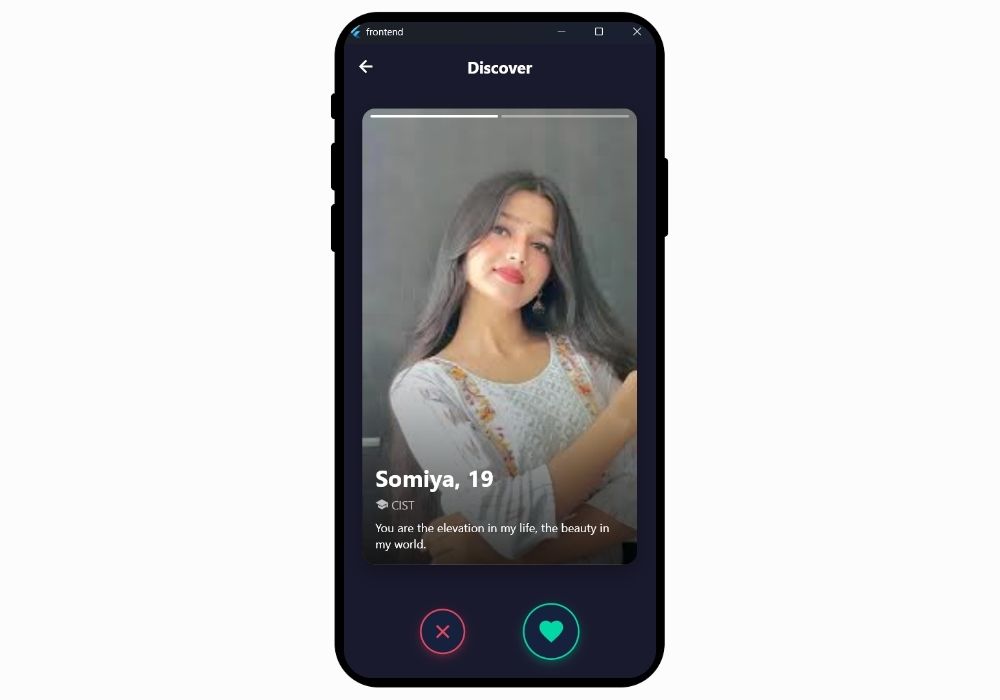
CampusConnect - College Dating App with Real-Time Matching & Chat (Flutter + Django)
available
CampusConnect - College Dating App with Real-Time Matching & Chat (Flutter + Django)

CampusConnect is a Tinder-style dating app for college students built with Flutter and Django REST Framework. Features swipe matching, real-time chat, and JWT auth. Complete source code for your final year project.

699.00

₹1999

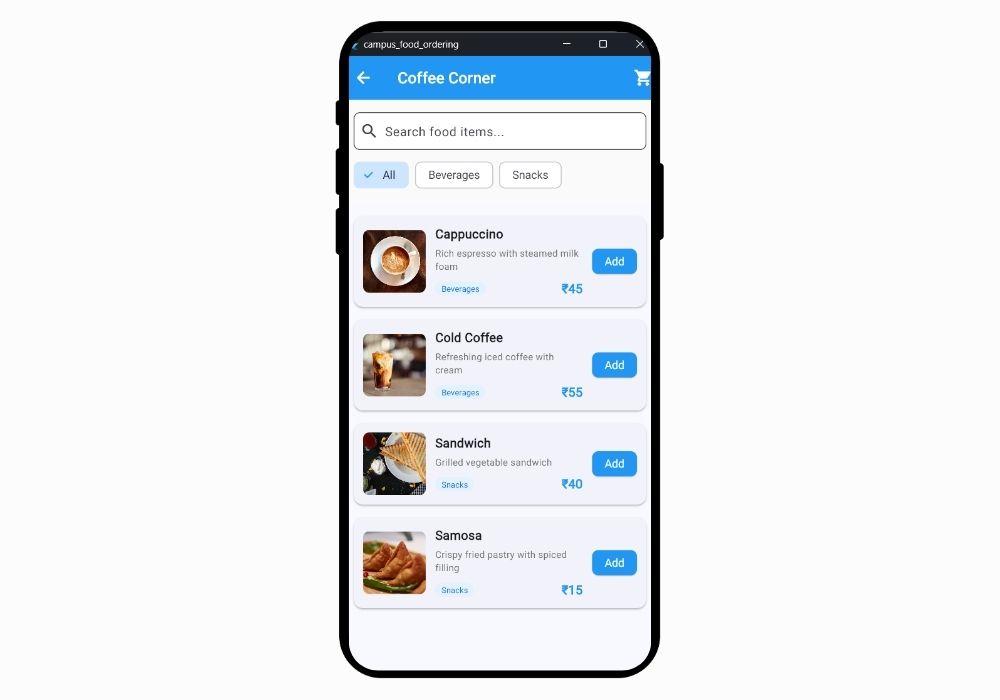
Smart Campus Food Ordering System - Complete Flutter App with Payment Gateway & Real-Time Tracking
available
Smart Campus Food Ordering System - Complete Flutter App with Payment Gateway & Real-Time Tracking

Advanced Flutter-based campus food ordering application with integrated Razorpay payment gateway, real-time order tracking, cart management, and comprehensive admin panel. Perfect final year project for computer science students.

489.00

₹1999

Why Choose CodeAj

Complete Source Code

Get 100% working source code with clean architecture and documentation.

Free Setup Support

Our team helps you install and run the project on your machine at no extra cost.

Free Updates & Customization

Get free updates and affordable customization to match your requirements.

Running iOS Projects

Open the .xcworkspace or .xcodeproj file in Xcode, select a simulator or connected device, and hit Run. CocoaPods or Swift Package Manager handles dependencies. The setup guide covers Xcode installation and simulator setup.

Requirements

You need a Mac with Xcode installed. Most projects target iOS 15+ and work on the latest Xcode version. No Apple Developer account is needed for running on simulators.

iOS Projects FAQ

Yes. iOS development requires Xcode, which only runs on macOS. You need a Mac with Xcode 14 or newer installed. No Apple Developer account is required for simulator testing.

SwiftUI is the modern approach and recommended for new projects. UIKit projects are better if your course specifically teaches UIKit or you need to understand legacy iOS patterns. Both produce native iOS apps.

Yes, with a free Apple ID you can run apps on your device for 7 days. A paid Apple Developer account ($99/year) removes this limitation and lets you publish to the App Store.

Dependencies are managed via Swift Package Manager or CocoaPods. Common libraries include Alamofire for networking, Kingfisher for image loading, and Firebase SDK. Xcode resolves dependencies automatically on first build.

Need a Custom iOS App?

Tell us what features you need and we will recommend the right iOS project or build a custom app for you.

Chat on WhatsApp
Chat with us