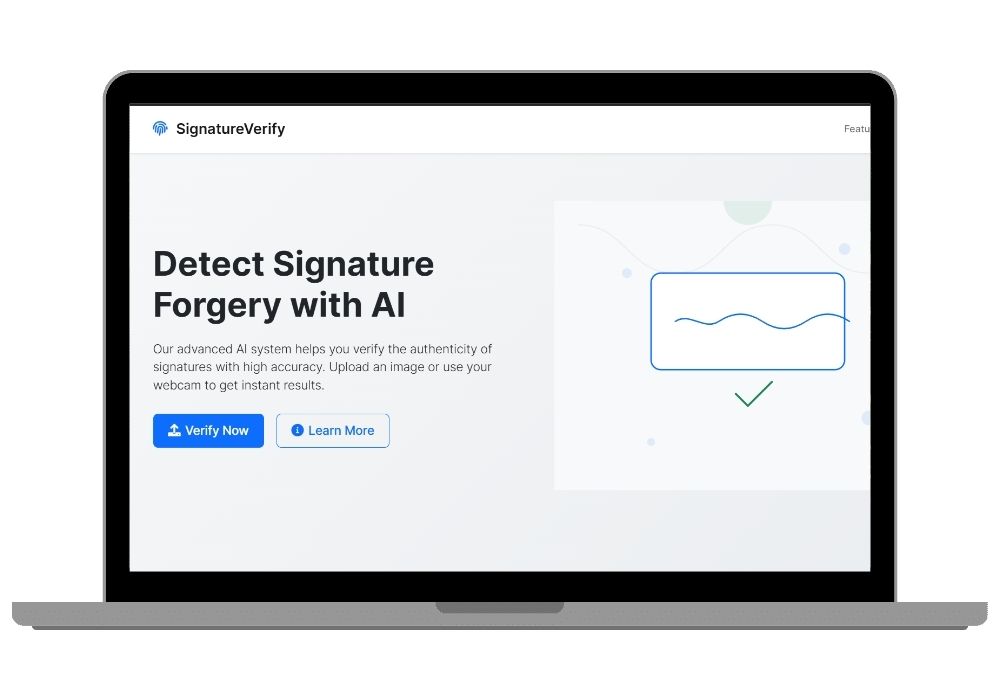
AI-Powered Signature Verification System Using Deep Learning
A web-based signature verification system that leverages deep learning to authenticate signatures using uploaded images or real-time webcam input with confidence scoring.
Technology Used
Flask | Python | TensorFlow | Keras | OpenCV | HTML5 | CSS3 | JavaScript | Webcam API


Project Files
Overview
The Signature Verification System is an advanced web application designed to verify the authenticity of handwritten signatures using deep learning technologies. Built with Python and powered by a Convolutional Neural Network (CNN), this system offers both image upload and live webcam signature capture features.
Key Features
- Drag-and-Drop Image Upload: Easily upload signature images via intuitive drag-and-drop interface or traditional file selection.
- Real-Time Webcam Capture: Capture live signatures directly from your webcam for instant verification.
- Deep Learning Based Verification: Uses a pre-trained CNN model to analyze and determine if a signature is genuine or forged.
- Confidence Score Display: Each verification result includes a confidence percentage to indicate accuracy.
- Modern & Responsive UI: Clean, mobile-friendly design ensures seamless user experience across all devices.
- Error Handling: Comprehensive handling for file uploads, model predictions, and device access issues.
Applications
- Banking Sector: Verify digital signatures during online transactions or document approvals.
- Legal Documentation: Authenticate electronic signatures in legal contracts and agreements.
- E-Governance: Securely validate citizen identities in government portals.
- E-Signature Platforms: Enhance trust and security in digital signing services.
Technology Stack
- Backend: Flask (Python)
- Frontend: HTML5, CSS3, JavaScript
- Machine Learning: TensorFlow/Keras CNN Model
- Model File:
signature_cnn_model.h5 - Image Processing: OpenCV
Installation Guide
- Clone the repository:
Extract the provided zip file - Navigate into the directory:
cd signature-verification-system - Create virtual environment:
python -m venv venv - Activate the environment:
- Linux/macOS:
source venv/bin/activate - Windows:
venv\Scripts\activate
- Linux/macOS:
- Install dependencies:
pip install -r requirements.txt - Ensure the trained model file
signature_cnn_model.h5exists in themodelsfolder.
How to Use
- Run the Flask app:
python app.py - Open browser and go to http://localhost:5000
- Upload an image or use your webcam to capture a signature
- Click “Verify Signature” and view detailed results including authenticity and confidence score
Security Measures
- Secure filename sanitization
- File type and size restrictions
- Error message sanitization
- No sensitive data logged
Contributing & Licensing
This project is open-source under the MIT License. Contributions are welcome via Pull Requests. Please ensure code adheres to the existing structure and standards.
Whether you're building a secure e-signature platform or verifying digital documents, this AI-powered signature verification system provides robust and scalable solutions for modern businesses and institutions.
Frequently Asked Questions
Extra Add-Ons Available – Elevate Your Project
Add any of these professional upgrades to save time and impress your evaluators.
Project Setup
We'll install and configure the project on your PC via remote session (Google Meet, Zoom, or AnyDesk).
Source Code Explanation
1-hour live session to explain logic, flow, database design, and key features.
Want to know exactly how the setup works? Review our detailed step-by-step process before scheduling your session.
₹999
Custom Documents (College-Tailored)
- Custom Project Report: ₹1,500
- Custom Research Paper: ₹1,000
- Custom PPT: ₹800
Fully customized to match your college format, guidelines, and submission standards.
Project Modification
Need feature changes, UI updates, or new features added?
Charges vary based on complexity.
We'll review your request and provide a clear quote before starting work.