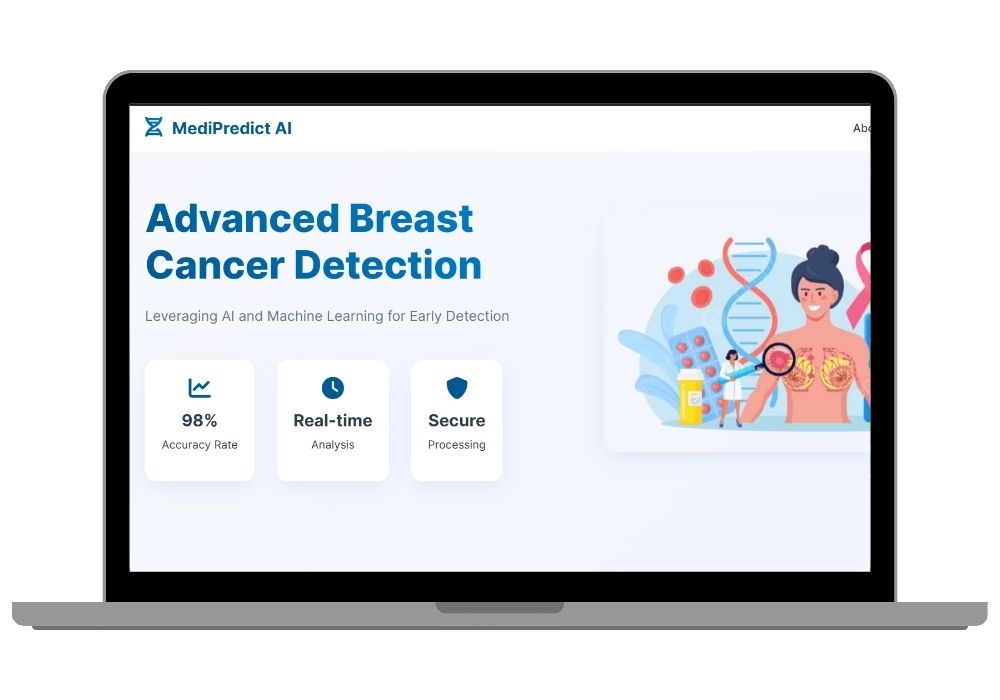
MediPredict AI Tabular Breast Cancer Prediction Web App (Wisconsin Dataset, 30 Features)
Form-based diagnostic tool that takes 30 numeric cell-nucleus measurements (radius, texture, concavity and 7 more, across mean/SE/worst values) and predicts Benign or Malignant with probability scores. Pure tabular ML — no image processing involved.
Technology Used
Flask | Python | Scikit-learn | HTML5 | CSS3 | JavaScript | Glassmorphism UI | Pickle (for model serialization)


Project Files
MediPredict AI is a Flask web application that predicts breast tumour type from numeric diagnostic measurements — not from images. Users enter 30 cell-nucleus values taken from a fine needle aspirate (FNA) report, and a trained Scikit-learn classifier returns a Benign or Malignant verdict along with a confidence percentage.
What Makes This a Tabular ML Project
This project works entirely on structured numeric data from the Wisconsin Diagnostic Breast Cancer (WDBC) dataset. There is no image upload, no OpenCV, and no convolutional network anywhere in the pipeline. If your syllabus requires a classical machine learning project on tabular data — feature scaling, classifier training, probability calibration — this is the right fit.
Students who specifically need a computer vision project instead should look at BreastGuard AI, which classifies breast ultrasound images using OpenCV and SVM.
The 30 Input Features
The model uses 10 base measurements of the cell nucleus, each computed three ways:
- Base parameters: radius, texture, perimeter, area, smoothness, compactness, concavity, concave points, symmetry, fractal dimension
- Three variants each: Mean value, Standard Error, and Worst (largest) value
- Total: 10 × 3 = 30 numeric inputs per prediction
How the Prediction Works
- User fills the 30-field form in the browser
- Client-side validation checks ranges and rejects empty or non-numeric entries
- Values are POSTed to the Flask backend as a feature vector
- The pickled Scikit-learn model loads once at startup and runs inference
- Response returns the predicted class plus
predict_proba()confidence for both classes
Key Features
- Instant tabular prediction — no file upload, no waiting on image processing
- Dual probability output — see confidence for Benign and Malignant separately, not just the winning label
- Glassmorphism interface — frosted-glass panels built in pure CSS3, no UI framework dependency
- Model serialised with Pickle — swap in your own trained
.pklwithout touching the Flask code - Input validation layer — malformed submissions are caught before reaching the model
- Fully responsive — the 30-field form collapses cleanly on mobile screens
Technology Stack
- Backend: Flask (Python)
- Machine Learning: Scikit-learn, Pickle serialisation
- Frontend: HTML5, CSS3 (custom glassmorphism), vanilla JavaScript
- Dataset: Wisconsin Diagnostic Breast Cancer (569 samples, 30 features)
Best Suited For
- Final year students whose project must demonstrate classical ML on structured data
- Anyone learning the full Flask + Scikit-learn deployment loop without computer vision overhead
- Developers who want a lightweight starting point — this runs on any laptop, no GPU needed
- Health-tech prototypes where inputs come from lab reports rather than scans
Extending the Project
The codebase is deliberately small and readable. Common extensions students build on top: adding user authentication and prediction history, exposing the model as a REST API endpoint, comparing multiple classifiers side by side, or adding SHAP values to explain which of the 30 features drove each prediction.
Frequently Asked Questions
Extra Add-Ons Available – Elevate Your Project
Add any of these professional upgrades to save time and impress your evaluators.
Project Setup
We'll install and configure the project on your PC via remote session (Google Meet, Zoom, or AnyDesk).
Source Code Explanation
1-hour live session to explain logic, flow, database design, and key features.
Want to know exactly how the setup works? Review our detailed step-by-step process before scheduling your session.
₹999
Custom Documents (College-Tailored)
- Custom Project Report: ₹1,500
- Custom Research Paper: ₹1,000
- Custom PPT: ₹800
Fully customized to match your college format, guidelines, and submission standards.
Project Modification
Need feature changes, UI updates, or new features added?
Charges vary based on complexity.
We'll review your request and provide a clear quote before starting work.